Copy Options Tab
The Copy Options tab contains the options that determine how an area of the
screen will be marked for copying and what terminating character will be put at
the end of each line when the marked area is copied onto the Windows clipboard:
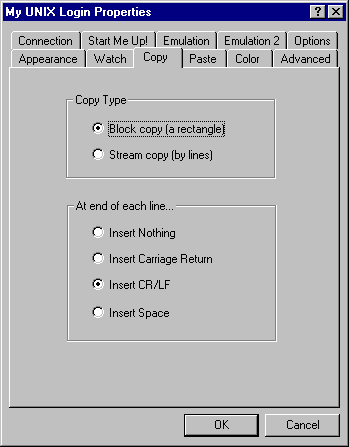
- Copy type: Block copy / Stream copy
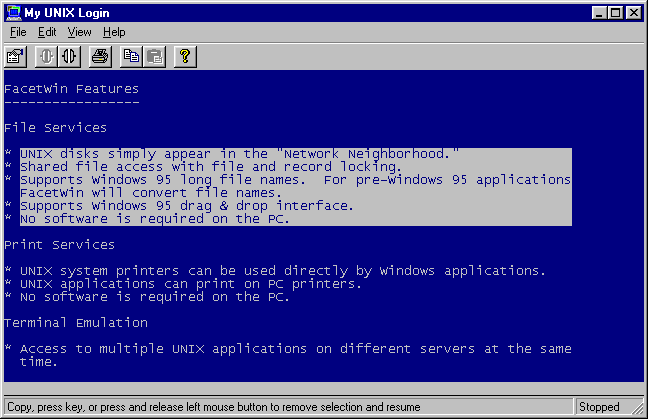
These radio buttons select between a block copy and a stream copy. In block
copy mode, the rectangle of characters defined by opposing corners are marked:
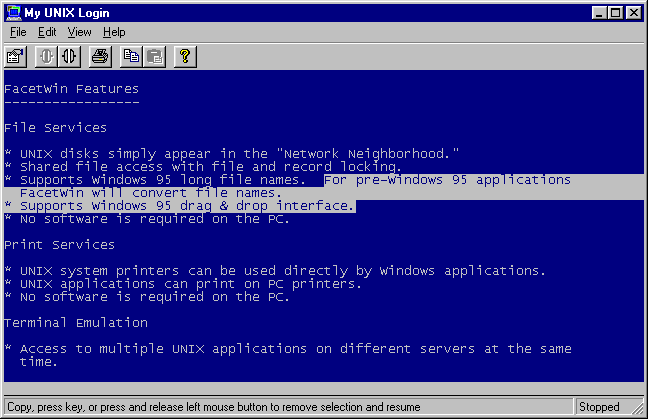
 In stream copy mode, whole lines between the beginning and end of the selected
area are marked:
In stream copy mode, whole lines between the beginning and end of the selected
area are marked:
- End of line terminators: Insert Nothing / Insert Carriage Return / Insert
CR/LF / Insert Space
These radio buttons determine what will be put in the copied text at the end
of each line. The norm for DOS and Windows software is to put a carriage return
and line feed (CR/LF) at the end of each line. This is the default setting.
Special circumstances might require you to have it put nothing, or a space, or
just a carriage return at the end of each line. For example, if you copied a
long shell command that wrapped to the next line, you would want to insert a
space at the end of the line. The end of line terminator is not inserted at the
end of the last line copied.